


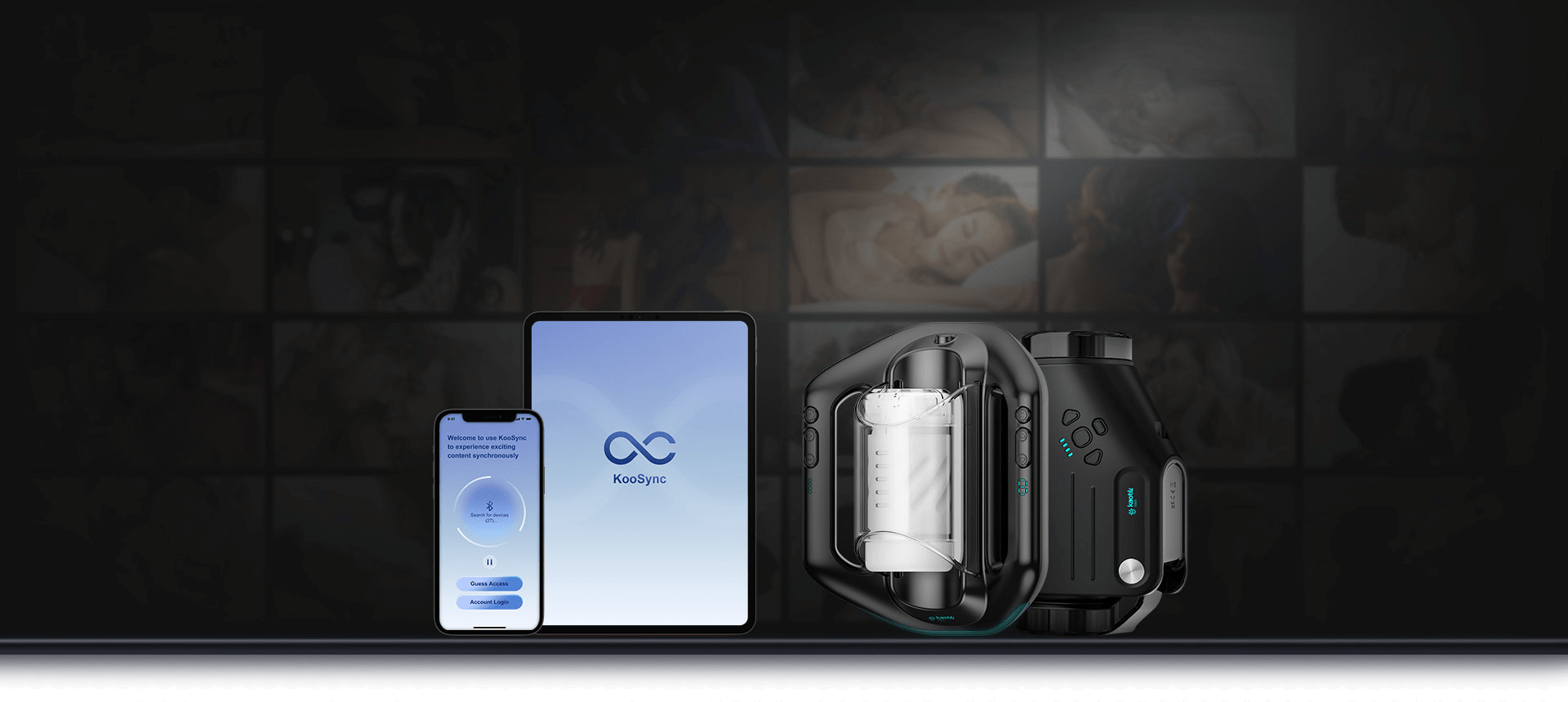
The new KooSync app brings faster connections, zero-lag video sync, support for multiple toys at once, and better privacy. If you have an SVAKOM Sam Neo, Alex Neo, Emma Neo, or any other supported model from the Connection series at home, it’s the perfect time to get to know KooSync. At Erosstar, we bring you a complete overview, tips for a smooth transition, and ideas to get the most out of it.
Why SVAKOM developed KooSync and what you gain
SVAKOM decided to take full control over app development to respond faster to user requests, fix bugs, and add new features. The result? KooSync is more stable (fewer connection drops), more secure, and offers real-time video synchronization with zero delay. That means when something happens on the screen, your toy responds instantly – frame-perfect.
Main advantages over FeelConnect:
- Stable Bluetooth connection – no more frustrating disconnects mid-action
- Synchronization with videos on Pornhub, XVideos, and other platforms (including special interactive playlists)
- Control up to 2 toys simultaneously (or switch between them)
- Long-distance mode for couples – your partner can control your toy from the other side of the world
- Solo play modes: Touch (finger control), Preset (predefined patterns), Music/Sound (sync with music or ambient sounds)
- Better data protection and privacy – SVAKOM promises higher standards
Support for up to 100 people in shared mode (for bolder group scenarios)
And the best part? KooSync is free and already fully functional.
- Pheromones for women: how to naturally increase your attractiveness?
- Lubricating gels: A great guide with practical advice
- Fucking Machines: Ultimate guide and Why you should treat yourself to one
- Top 6 tips for Valentine's Day gift [Selection 2026]
- Advent Calendar 2020 - Tips for Christmas presents from ErosStar
How to switch to KooSync quickly – step by step
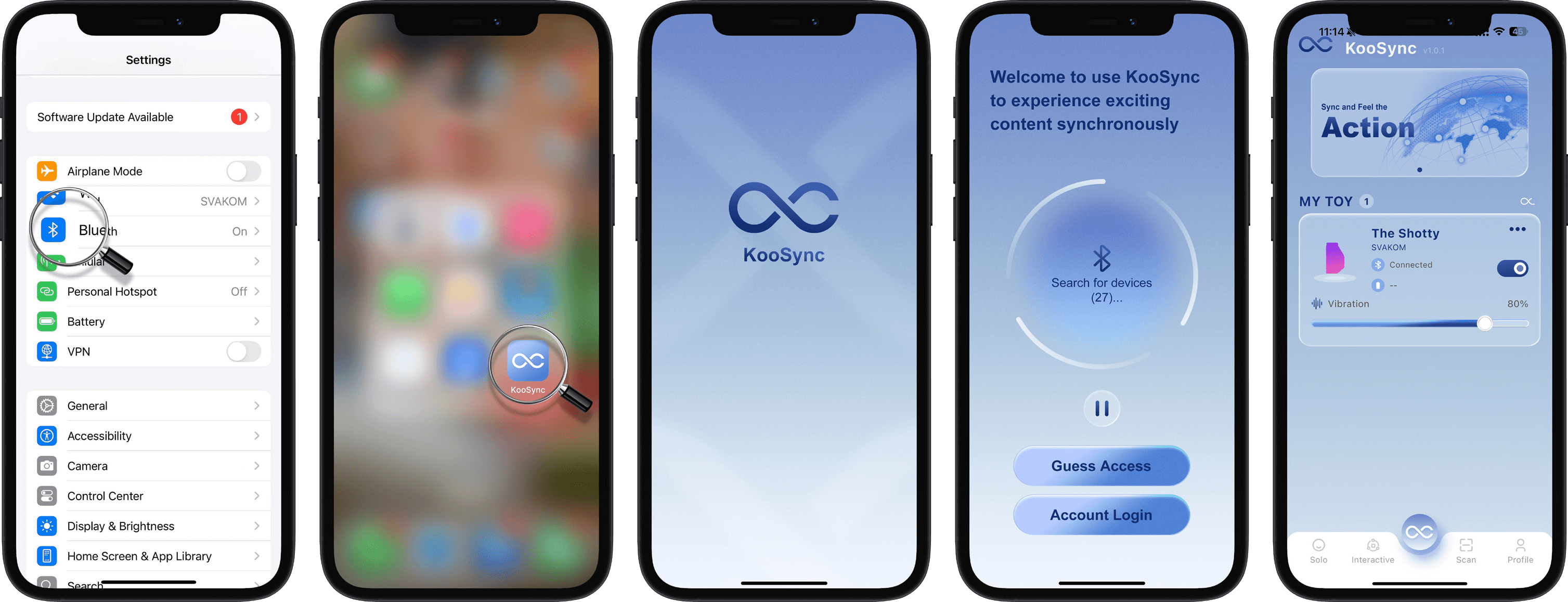
1. Download the app
iOS: Search for “KooSync” in the App Store
Android: Search for “KooSync” in Google Play
Or download directly from the website https://download.koosync.com/
2. First connection to the app
Turn on Bluetooth on your phone and allow all required permissions.
Turn on the toy – SVAKOM/KAOTIK will connect automatically (also works with KAOTIK Labs models).
Connect up to 5 toys at once – ideal for those with a collection.
3. Explore the Home screen
- Solo – experiment with preset modes, sound, or touch control
- Interactive – join games or webcams
- Media – scan the QR code of an interactive video or play content directly in the app
- Profile – save your favorite patterns and settings
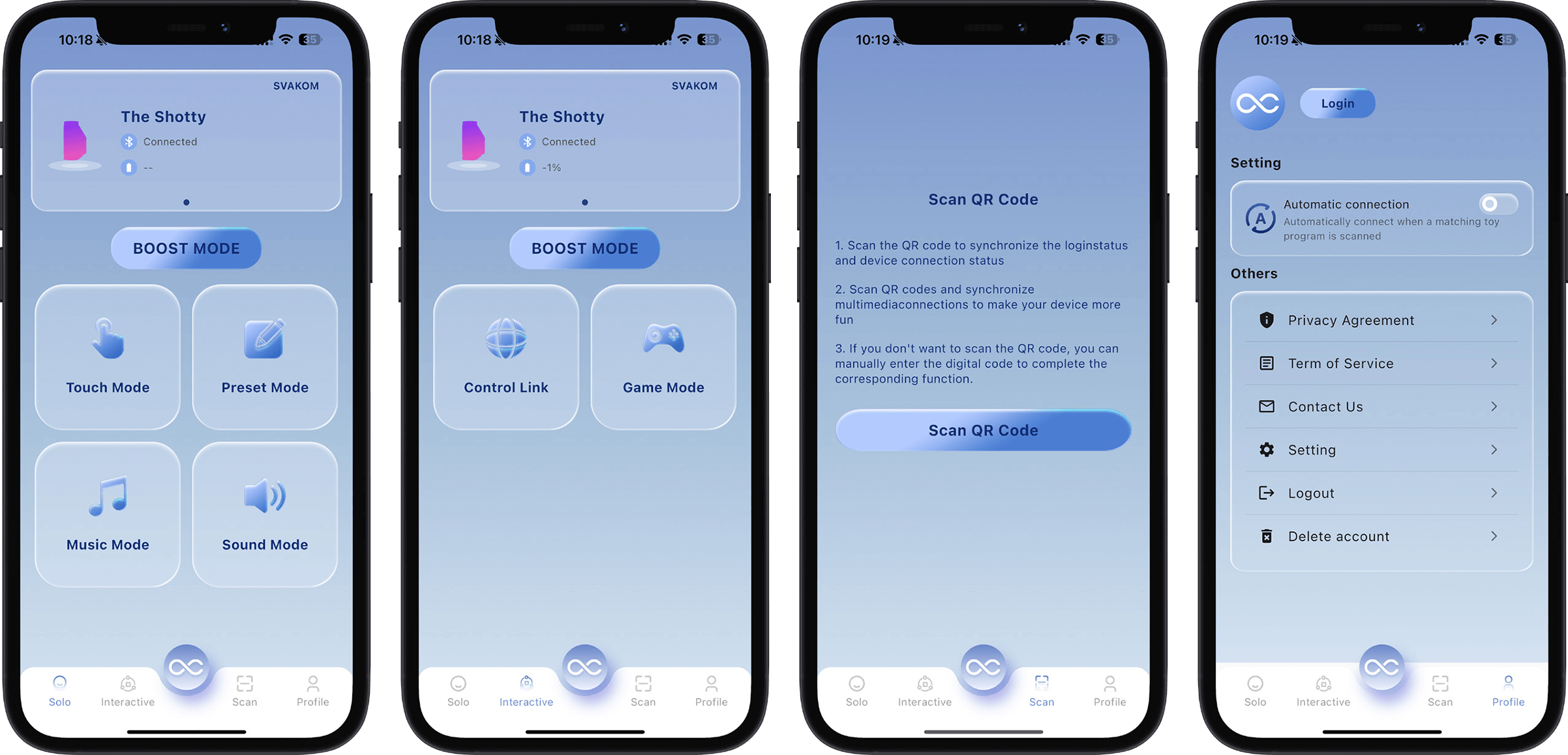
Solo modes
Tip for first use: Start with Preset Mode – pick a few predefined patterns and try syncing them with a short video. You’ll feel the difference in response speed right away.
Touch Mode: When your fingers write the story of pleasure
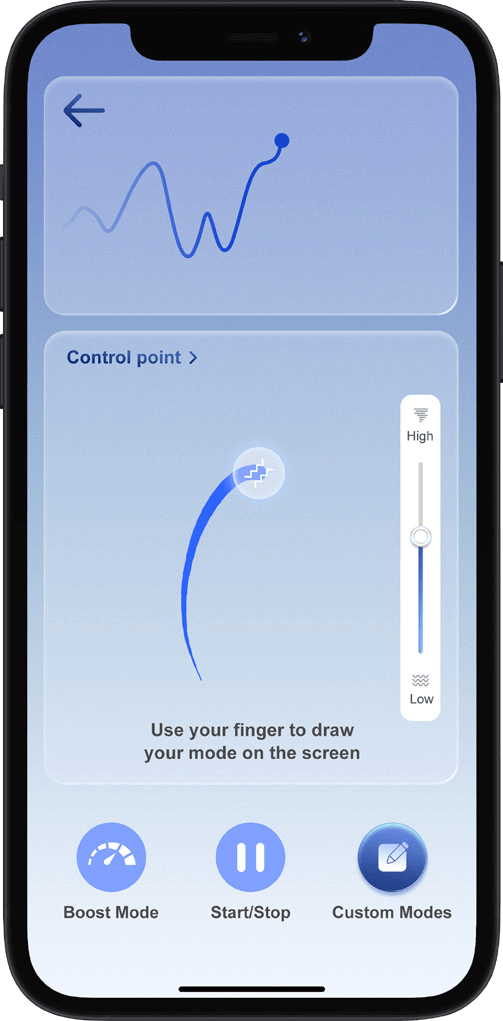
Petr, who always complained that “vibrators can’t read minds,” opened Touch Mode and froze. He just tapped the icon, hit Start, and drew a wave, a spiral, or even a heart with his finger on the screen. The toy replicated it exactly – slow, fast, up, down. When he finished, the app asked for a name. “Evening Symphony,” Petr typed with a smile. Since then, he’s had a whole collection of his own creations in Custom Modes > My Modes.
Tips that will save you disappointment:
- Draw slowly – the app is sensitive and precisely translates even subtle pressure changes.
- Use Boost Mode when you want to “step on the gas” all at once.
- You can delete saved modes with a single tap, so experiment without fear.
- And yes, there are prebuilt examples in the Examples section – perfect for beginners.
Preset Mode: A classic that never disappoints
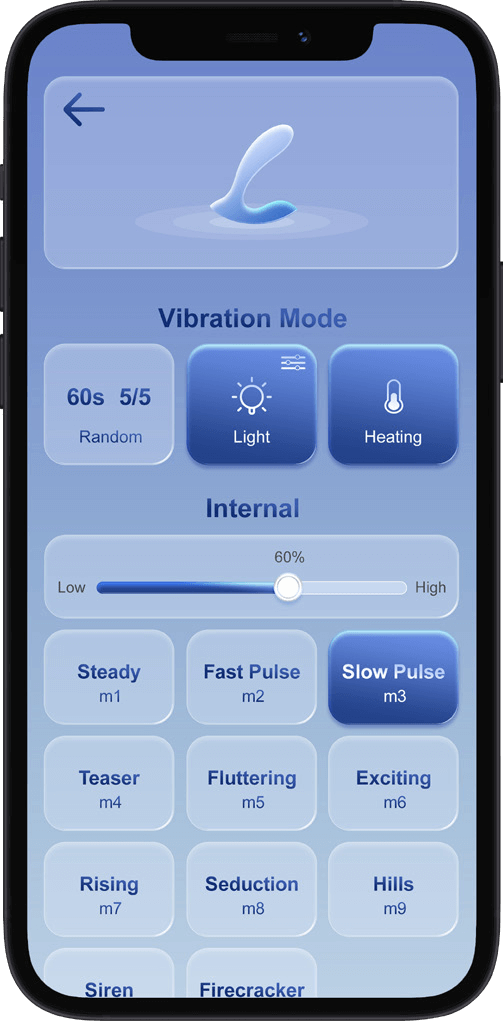
Sometimes you don’t want to be an artist; you just want someone else to decide. Preset Mode offers dozens of predefined patterns – thrusting, vibration, or both, depending on the toy type. Pick a number, move the intensity slider, and off it goes.
Anna discovered that when she turns on Random Play, the toy surprises her like a new lover who never repeats the same move twice. And if the toy has a heating function, just tap the thermometer – suddenly it’s warm, soft, and even more enticing.
Music Mode: When music literally moves you
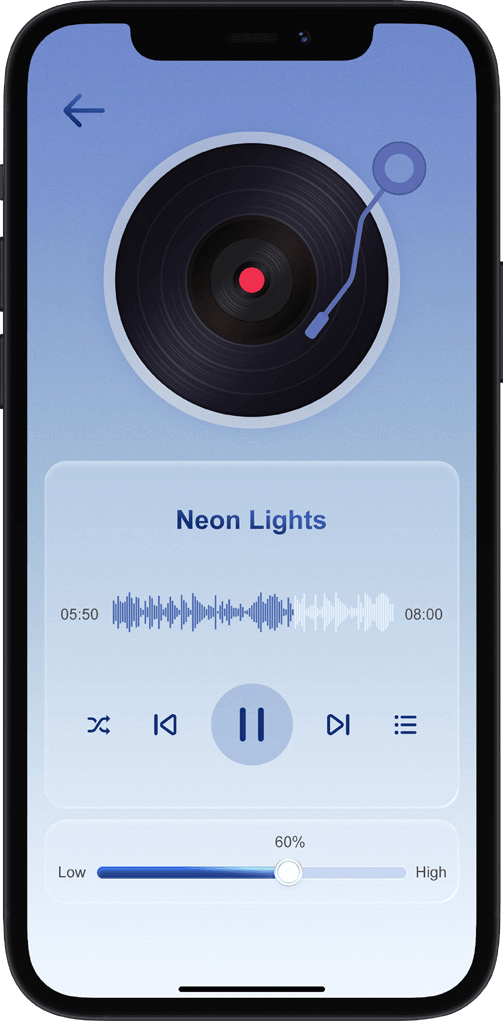
Import your own MP3 files (yes, the app supports MP3 only, but that’s plenty) and let the rhythm control the toy.
Petr put on his favorite playlist and suddenly the bass was thumping right through his body. The neon light on the screen pulses to the beat, so visually it’s a show, too.
Important tips for smooth operation:
- Grant the app access to files in your phone’s settings.
- Use Shuffle when you want surprises.
- The intensity slider works here as well – you can turn it up or down to suit your mood.
- And if you have trouble uploading files, check support.apple.com or support.google.com – it’s explained there more clearly than in a physics textbook.
Sound Mode: A bedroom full of living sounds
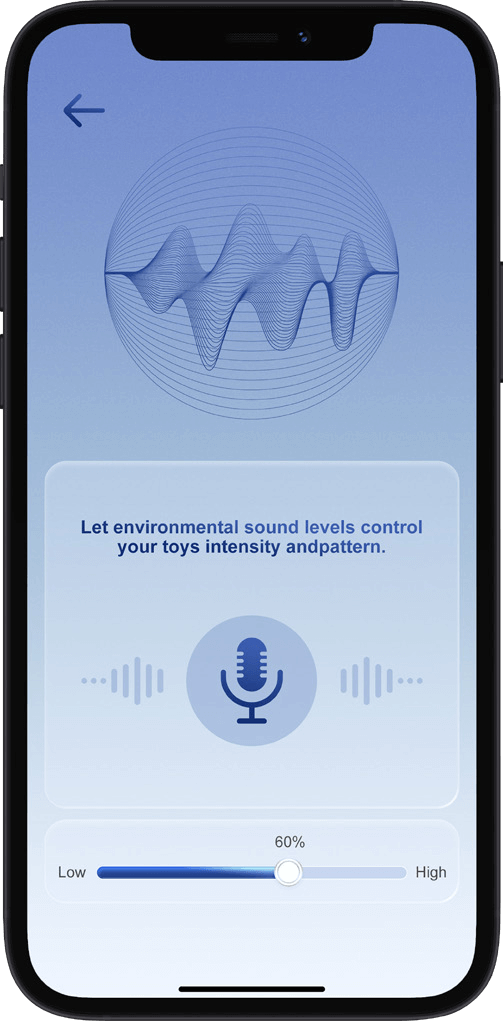
This is where the revolution turns almost magical. The app listens to your phone’s microphone and converts ambient sounds into vibrations – breath, music from the next room, even the rustle of rain outside the window. Anna once turned on Sound Mode while listening to an erotic podcast and suddenly the toy vibrated exactly to the cadence of the narration.
Tips from those who tried it:
- Allow microphone access right from the start.
- The sensitivity slider is your best friend – too high, and even a ticking clock will set you buzzing.
- Great for lovers of nature sounds or ASMR.
When solo isn’t enough: A quick taste of interactive videos
Even though we’re focusing on solo features today, we can’t ignore how easily the toy connects with Pornhub or XVideos via official playlists and a Chrome extension. Install the extension, open a video from the official list, scan the QR code with your phone and… suddenly you feel every move of the performers on your own skin. Next-level revolution.
The app can synchronize video with your supported toy. A detailed step-by-step guide to connecting with video is available in the original English manual found at the end of the article.
You’ll find supported videos in the prepared playlists:

Frequently asked questions and how to avoid problems
-
The SVAKOM toy won’t connect. What should I do?
Charge it to 100%, restart Bluetooth on your device, verify granted Bluetooth permissions (you’ll find them in your device and app settings), close the app and open it again. Avoid Guest Access before the first connection. -
Will it disconnect during a phone call?
Yes – the app disconnects, but after the call just open it again and reconnect. -
How long does the connection between the phone and the Svakom product last?
No automatic disconnect. However, the toy turns itself off after 30 minutes of inactivity (to save battery). -
Is the KooSync app available in Czech?
Yes – a major advantage over older versions.
If something doesn’t work, write directly in the app via “Contact Us” – SVAKOM promises a quick response and regular updates.
Why KooSync is a game-changer for couples and solo players
Imagine this: you’re lying in bed, your partner is 500 km away, and yet through the app they can do exactly what they would with their hands. Or you play your favorite video and the toy moves in sync with every thrust on the screen. Add the ability to share control with multiple people and suddenly you’ve got endless possibilities.
Try syncing with music – put on your favorite playlist and let the toy dance to the beat. It’s a great way to spice up a solo evening or long-distance foreplay.
All SVAKOM interactive toys in our e-shop already have updated descriptions with KooSync. If you’re hesitating about which model to choose, write to us – we’ll be happy to help.
We wish you lots of fun and intense experiences! May KooSync bring even more excitement to your intimate life.
The original English PDF manual is available for download via the button below.